
Appearance
Settings
The Settings section in the Purchases module allows you to control how purchase orders and product-related processes work in AureusERP.
These settings help you streamline approvals, order management, and product configuration according to your business needs.
Manage Orders
This section helps you configure how purchase orders are created, approved, and managed.
Steps to Access
- Navigate to
Purchase → Settings → Manage Ordersas shown below:
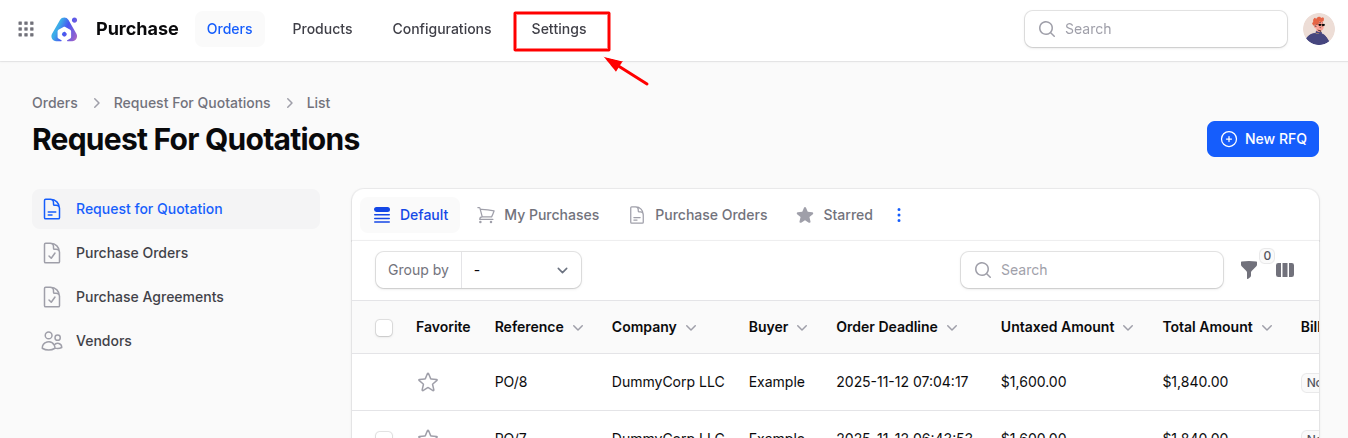
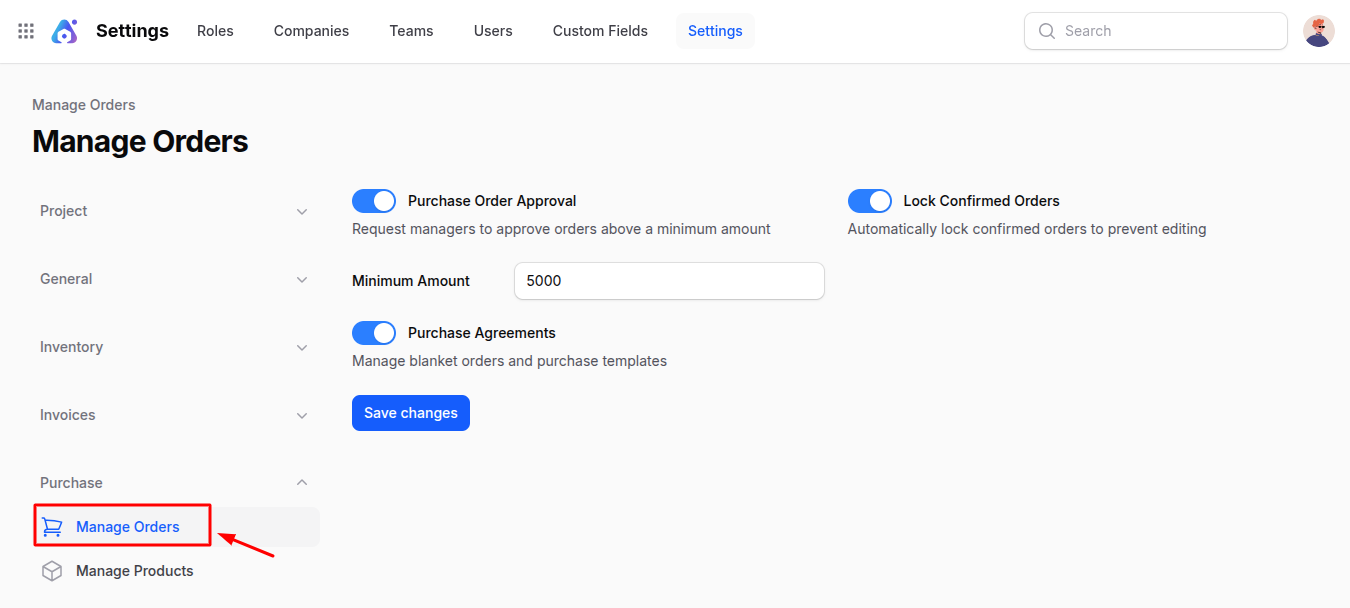
You will see the following fields:
Purchase Order Approval: When enabled, purchase orders exceeding a specific minimum amount will require approval from a manager before confirmation. This ensures better control over high-value purchases.
Minimum Amount: Define the threshold amount for which a purchase order must be approved.
Example: If set to ₹10,000, any order above this amount will need manager approval.Lock Confirmed Orders: When enabled, once a purchase order is confirmed, it cannot be edited. This helps prevent accidental changes after finalization.
Purchase Agreements: Enable this option to manage Blanket Orders and Purchase Templates. Blanket Orders help in long-term agreements with suppliers, while Purchase Templates simplify repetitive order creation.
Action Button
- Save Changes: Click this button to apply and save all your configuration updates.
Manage Products
This section allows you to configure how products are managed and used in purchase orders.
Steps to Access
Navigate to
Purchase → Settings → Manage Productsas shown below: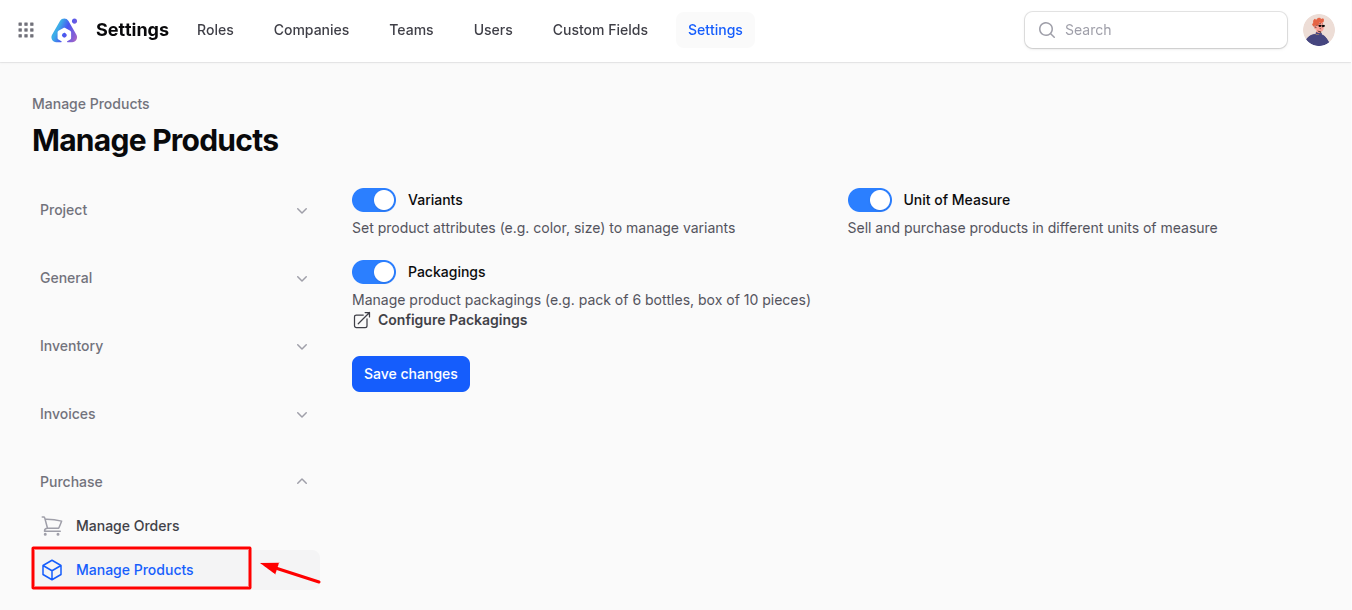
You will see the following fields:
- Variants: Enable to manage products with multiple variations such as size, color, or material. This allows you to create and purchase specific product variants instead of a single general product.
- Unit of Measure: Enable to buy and sell products in different measurement units (e.g., pieces, boxes, dozens). This provides flexibility for managing product quantities in various formats.
- Packagings: Enable to manage product packaging details, such as a pack of 6 bottles or a box of 10 pieces. This helps in tracking inventory and purchases based on packaging type.
Action Button
- Save Changes: Click this button to store your updated product management configurations.
Summary
The Purchases Settings section ensures complete control over how orders and products are managed.
By enabling or disabling options, you can:
- Require approval for high-value purchases
- Prevent edits after confirmation
- Manage product variants, units, and packaging options effectively
These settings enhance accuracy, security, and flexibility across your purchasing workflow in AureusERP.